MA App Design

Turning hand-drawn designs into functioning apps.

For small and mid-sized companies that need a simple, no-fuss application to manage their clients and their day to day. You draw it. We build it. Your team uses it.

Development houses quote from around £50,000 and measure the work in quarters. We do not work that way.

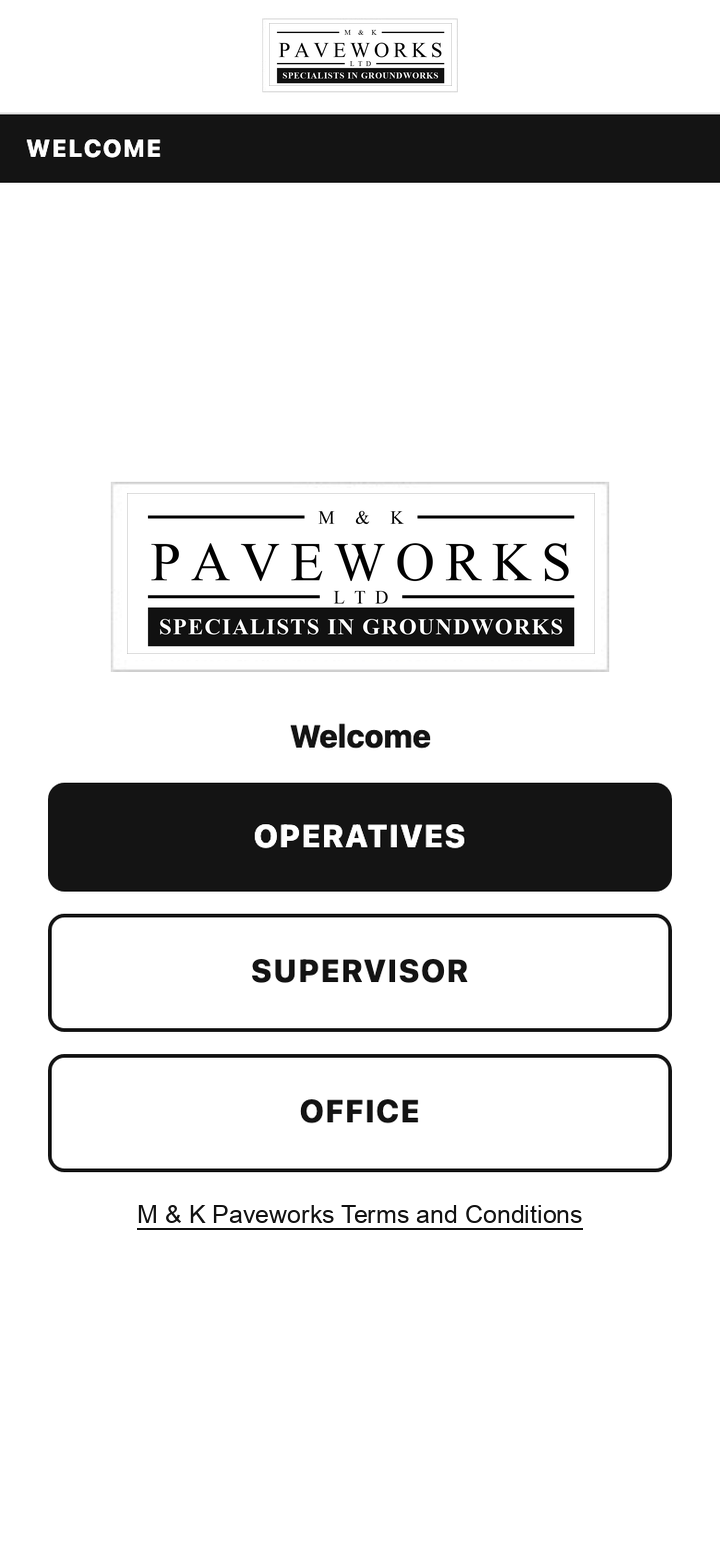
The built welcome screen on a phone: a company logo and three buttons for operatives, supervisor and office.
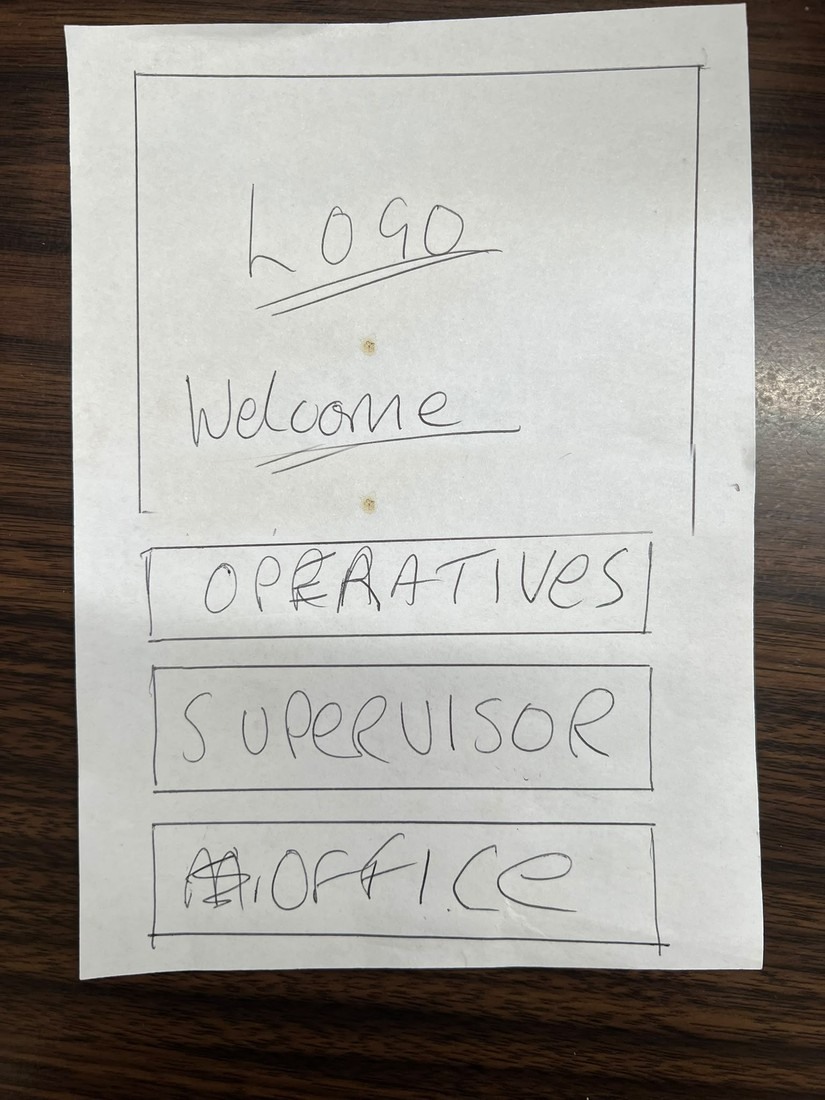
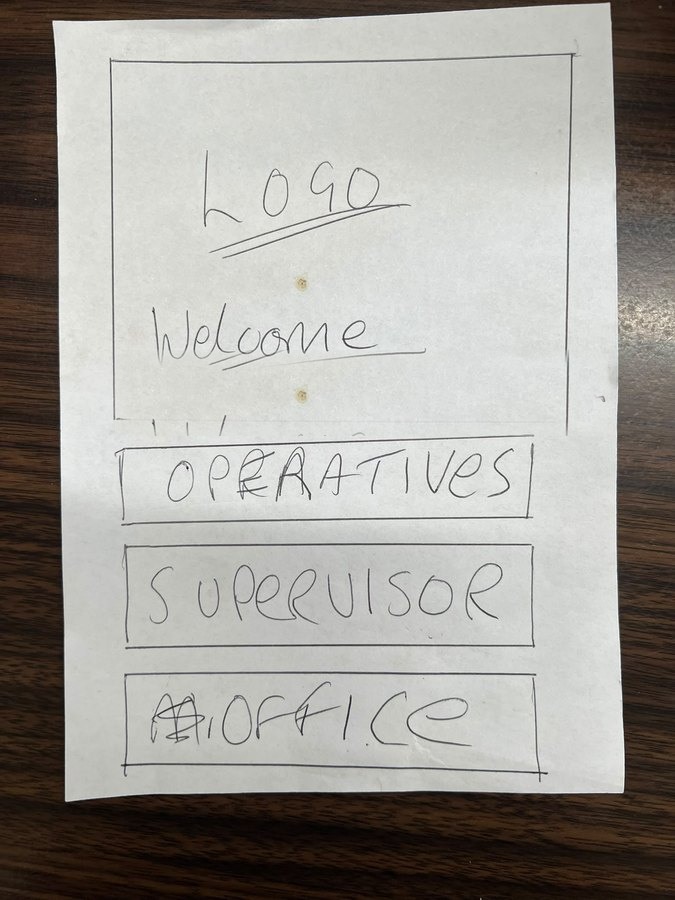
The client's hand-drawn sketch of the same welcome screen, biro on paper: a box marked logo, the word welcome, and three buttons labelled operatives, supervisor and office.

Their drawing  →  the app we built  · 

01

We start from your paper

Whatever already runs the business: the job sheet, the spreadsheet, the drawing on the back of an envelope. That is the spec. You do not have to learn how to write one.

02

It lands on every phone

One app for the people outside and the office inside. It installs on the phones your team already carry, Apple or Android, and keeps working when the signal does not.

03

Weeks, not quarters

You see a working version in days and use it on real jobs long before a traditional build would have finished writing its requirements document.

Case study · civils contractor, south east

Eighteen sketches on paper, drawn by the people who do the work.

A civils contractor running crews across the south east. Every job lived on a paper sheet: the gang filled it in on site, photographed the work on their own phones, and the office typed it all back into a spreadsheet at the end of the week. Photos went missing between the two. Nobody could see what was actually happening today.

What they gave us

Eighteen screens drawn on paper by their own team and sent over WhatsApp, plus the spreadsheet the office had been keeping by hand.

What we built

One system. A phone app for the operatives and the supervisor, an office board for the people planning the week, and the same job record coming out the other end.

What it changed

A job cannot be closed with a gap in it. The photos, the measurements and the signature arrive together, and the office sees it the moment it happens.

13 AugustFirst meeting. They had already drawn the screens.
16 AugustGo-ahead.Day 0
18 AugustFirst working version live, on real URLs, on their phones.Day 2
26 AugustThey asked for one screen to work differently. Rebuilt and live the same day.Day 10
27 AugustWhole team on it, running practice jobs. Promised for the 28th.A day early
2 SeptemberTheir own risk assessment questions sent at 10am, in the app before lunch.Same morning
Their sketchBuilt
A hand-drawn sketch on paper showing a welcome screen with a logo and three buttons: operatives, supervisor and office.
The built welcome screen on a phone, with the company logo and three role buttons.

The way inThree doors, one for each kind of person in the business. Exactly where they drew them.

Their sketchBuilt
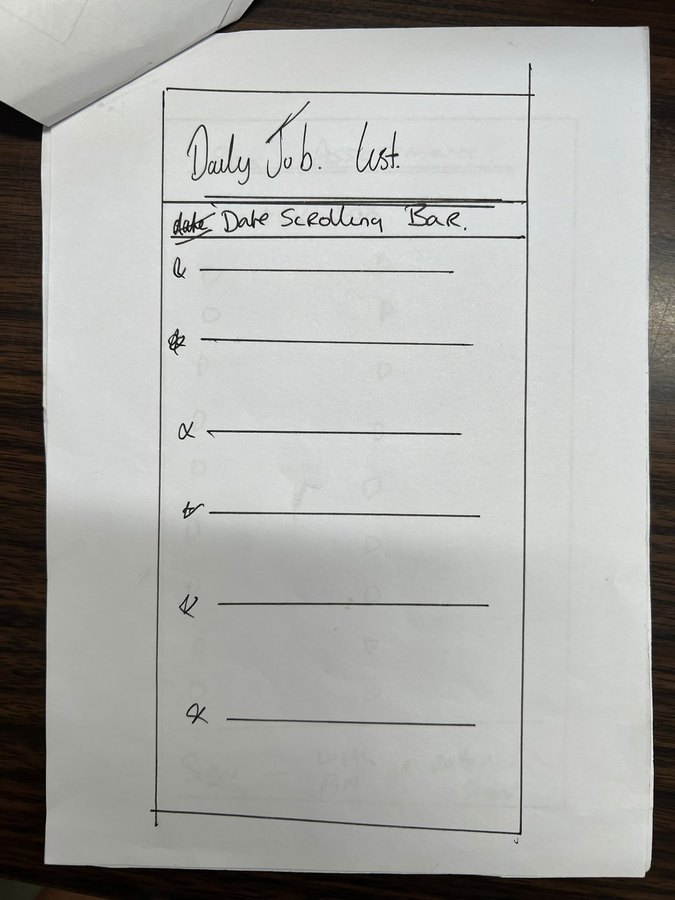
A hand-drawn sketch of an operative's daily job list.
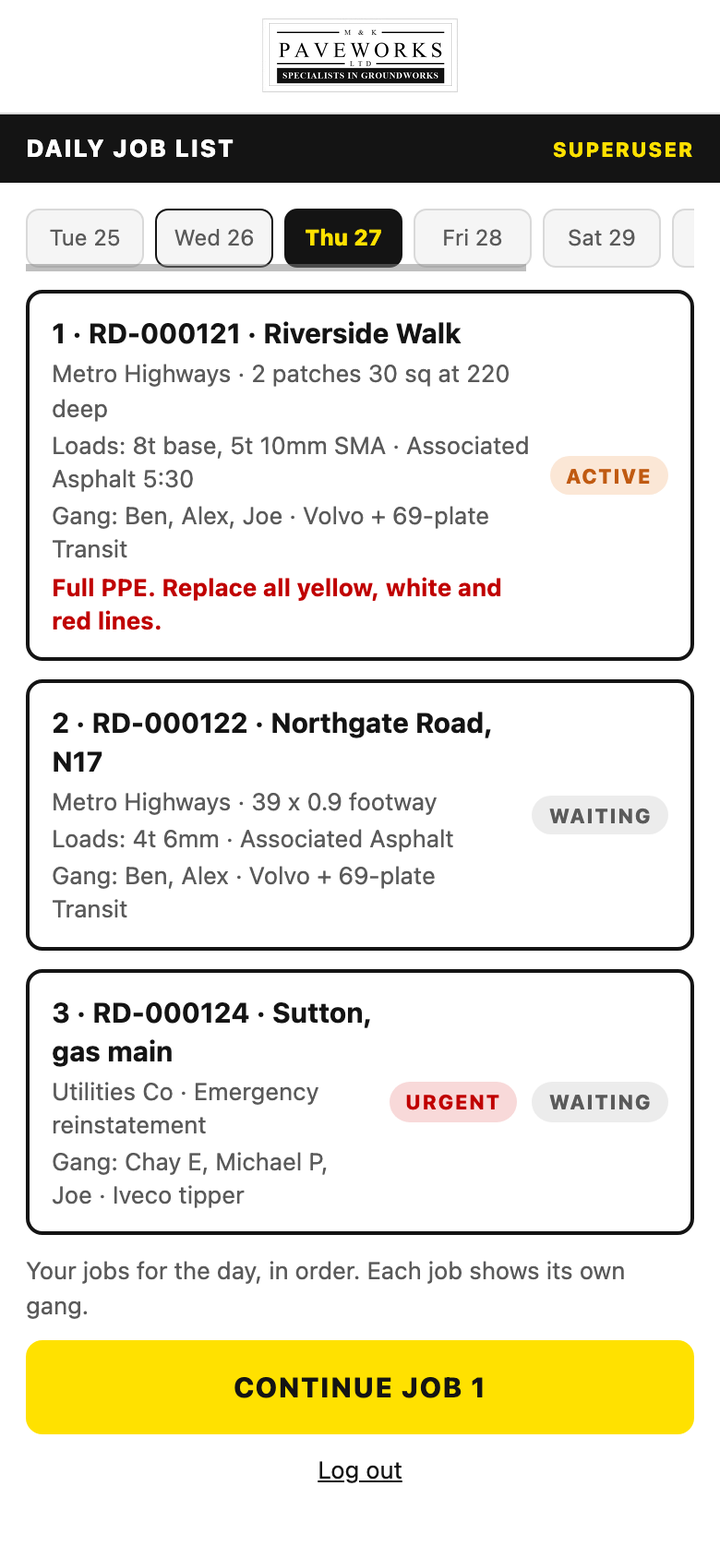
The built daily job list on a phone, showing the jobs assigned to that operative for the day.

The gang's dayToday's jobs, in order. The one you are on, in full; the ones after it, held back until you get there.

Their sketchBuilt
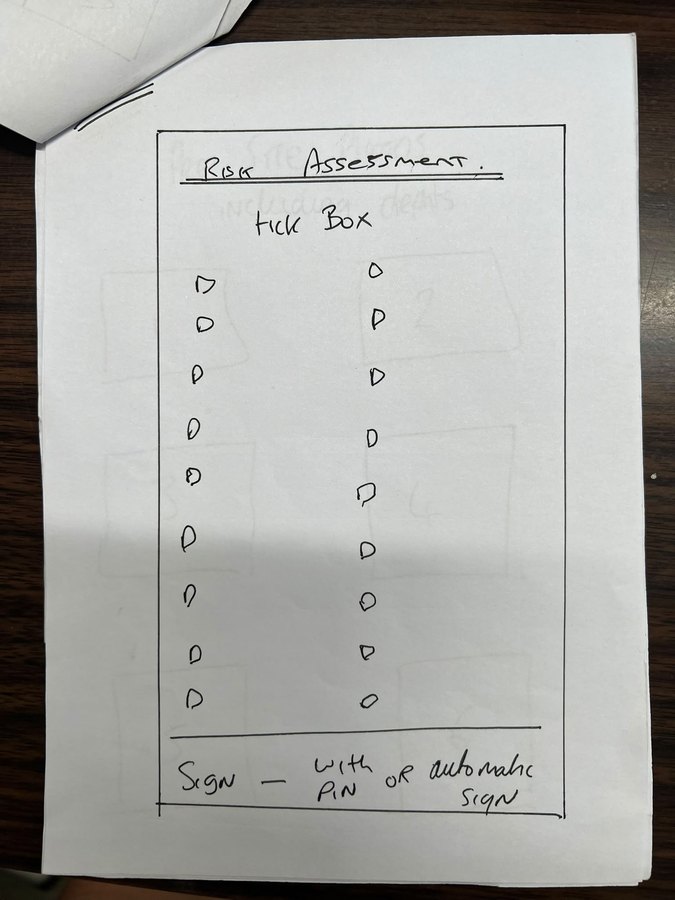
A hand-drawn sketch of an on-site risk assessment checklist.
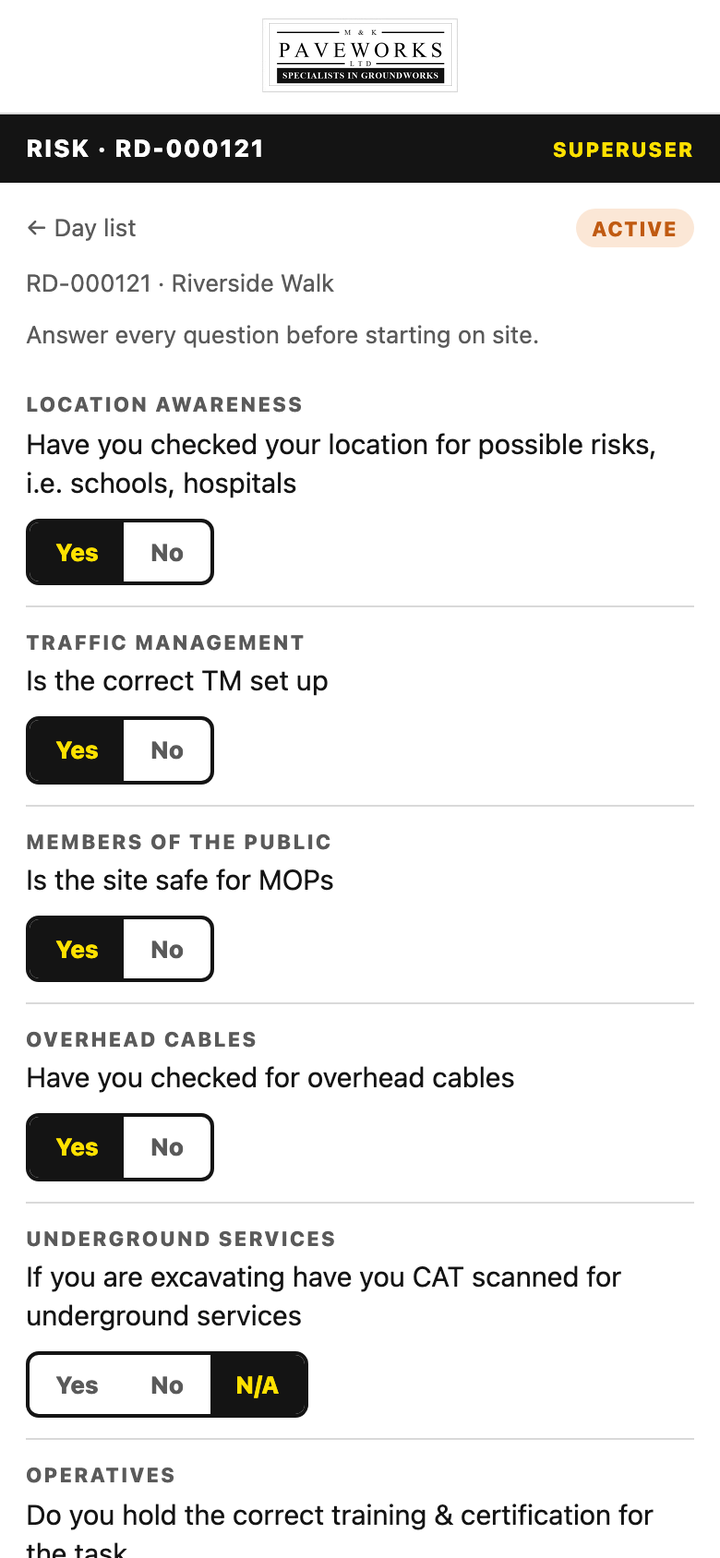
The built risk assessment screen on a phone.

Risk, before a spade goes inTheir own questions, their own wording, signed with a PIN on the phone. No signature, no job.

Their sketchBuilt
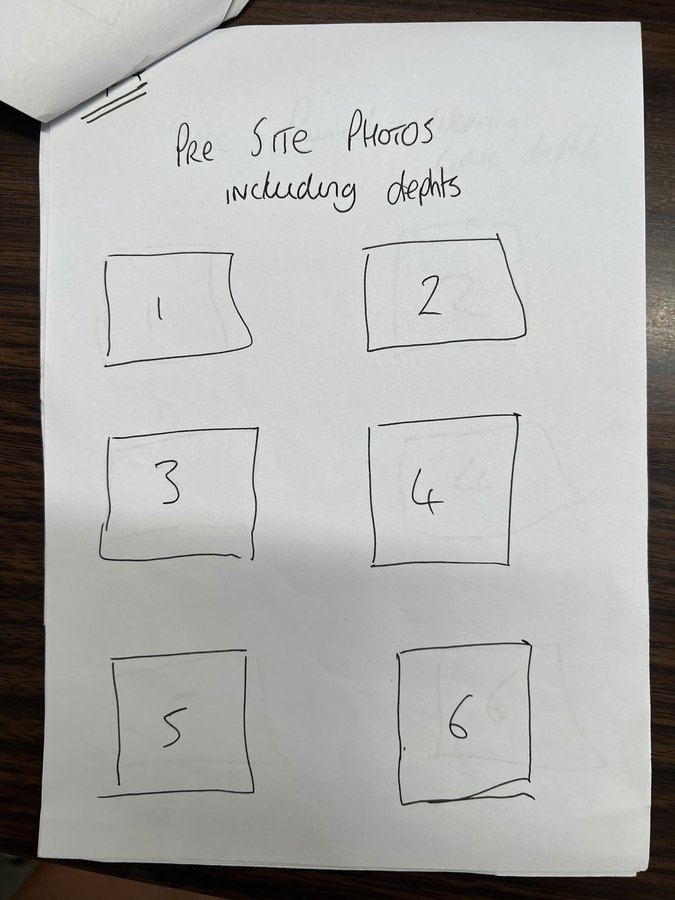
A hand-drawn sketch showing six numbered photo boxes for arrival photos.
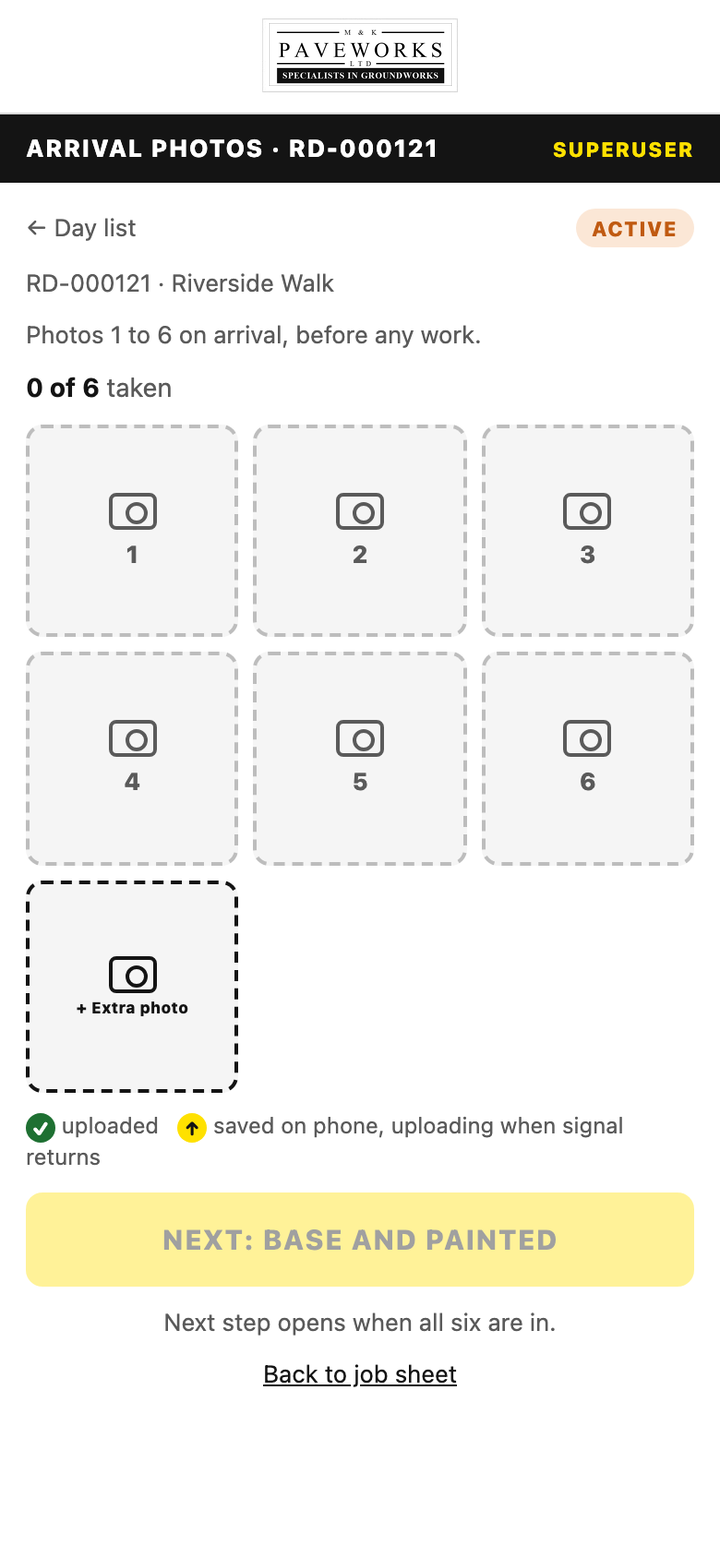
The built arrival photos screen showing six numbered photo slots.

Six photos, every timeTaken before work starts, and used as the checklist at the end so nothing can be quietly skipped.

Their sketchBuilt
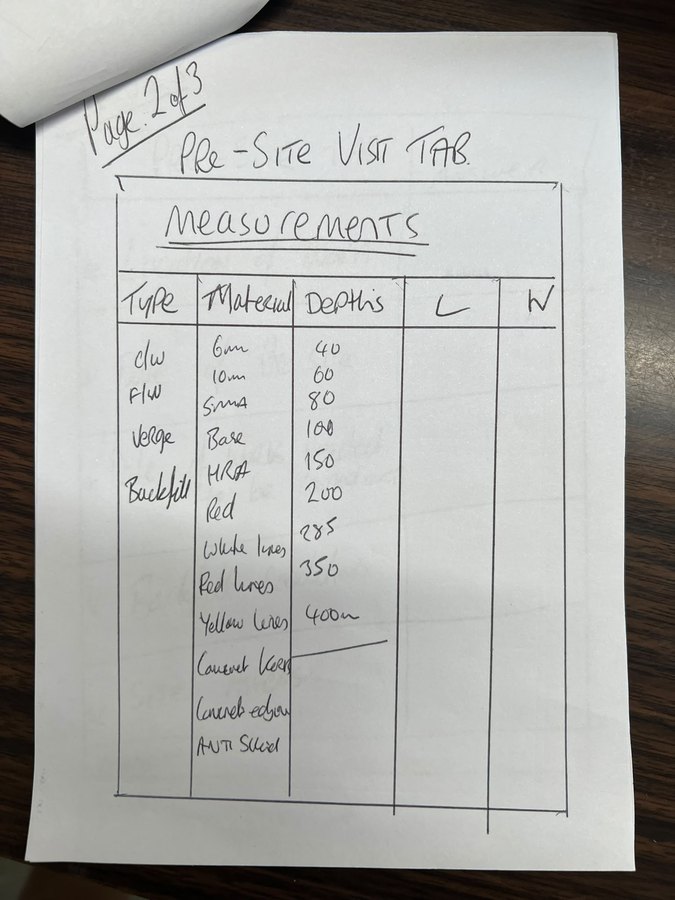
A hand-drawn sketch of a measurement sheet with type, depth and material.
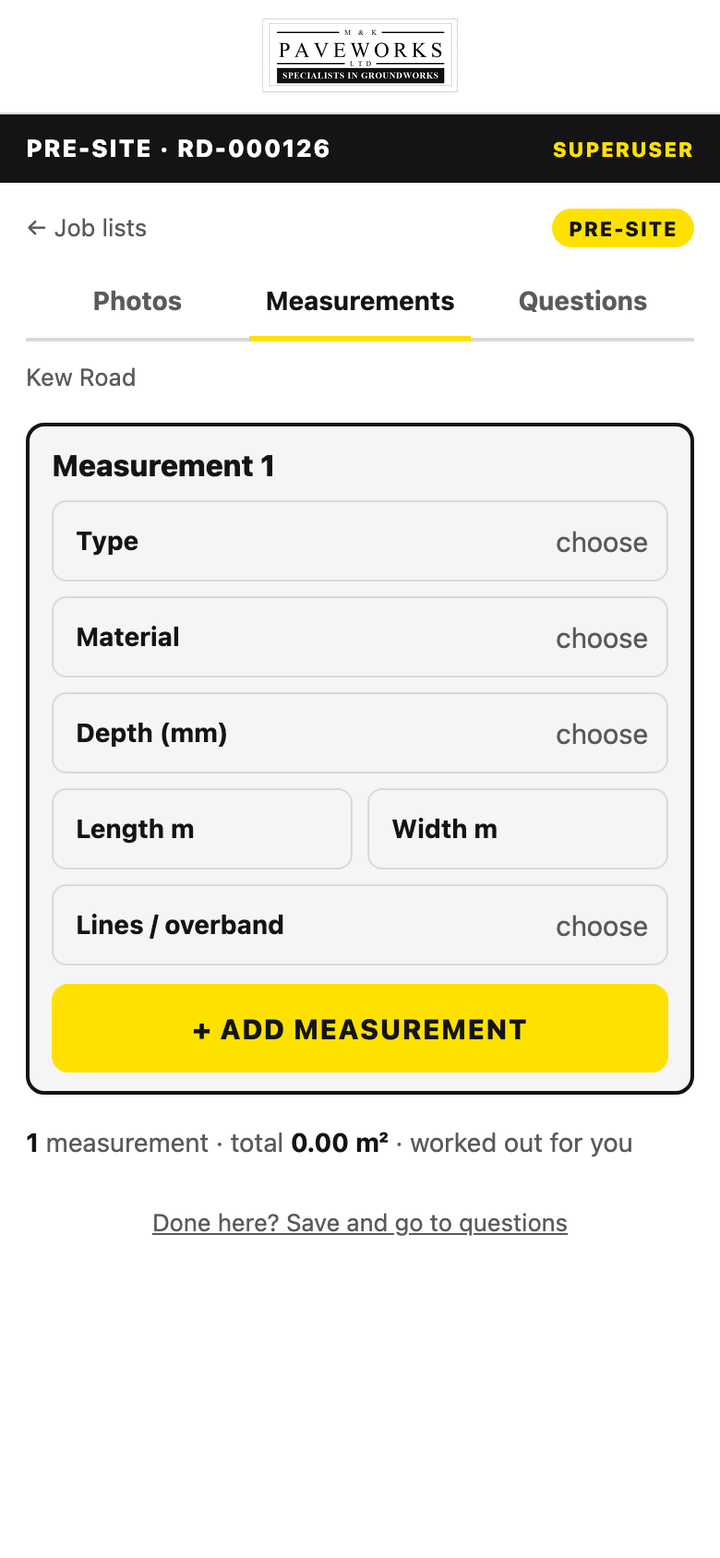
The built measurements screen on a phone.

Measurements that add themselves upThe sheet the customer signs, filled in on site, totalled without anyone reaching for a calculator.

Their sketchBuilt
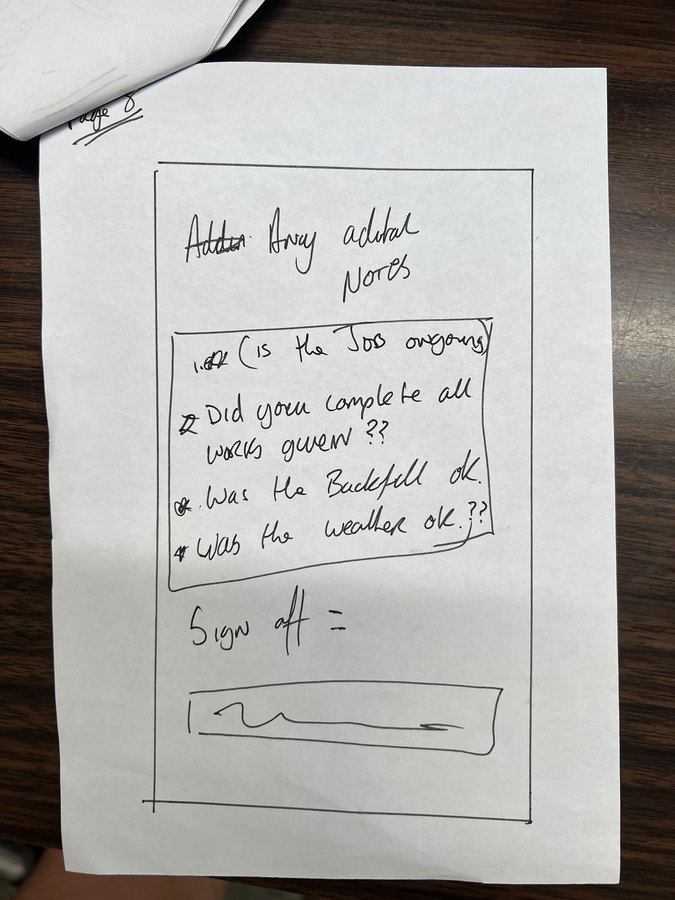
A hand-drawn sketch of an end-of-day shut down form.
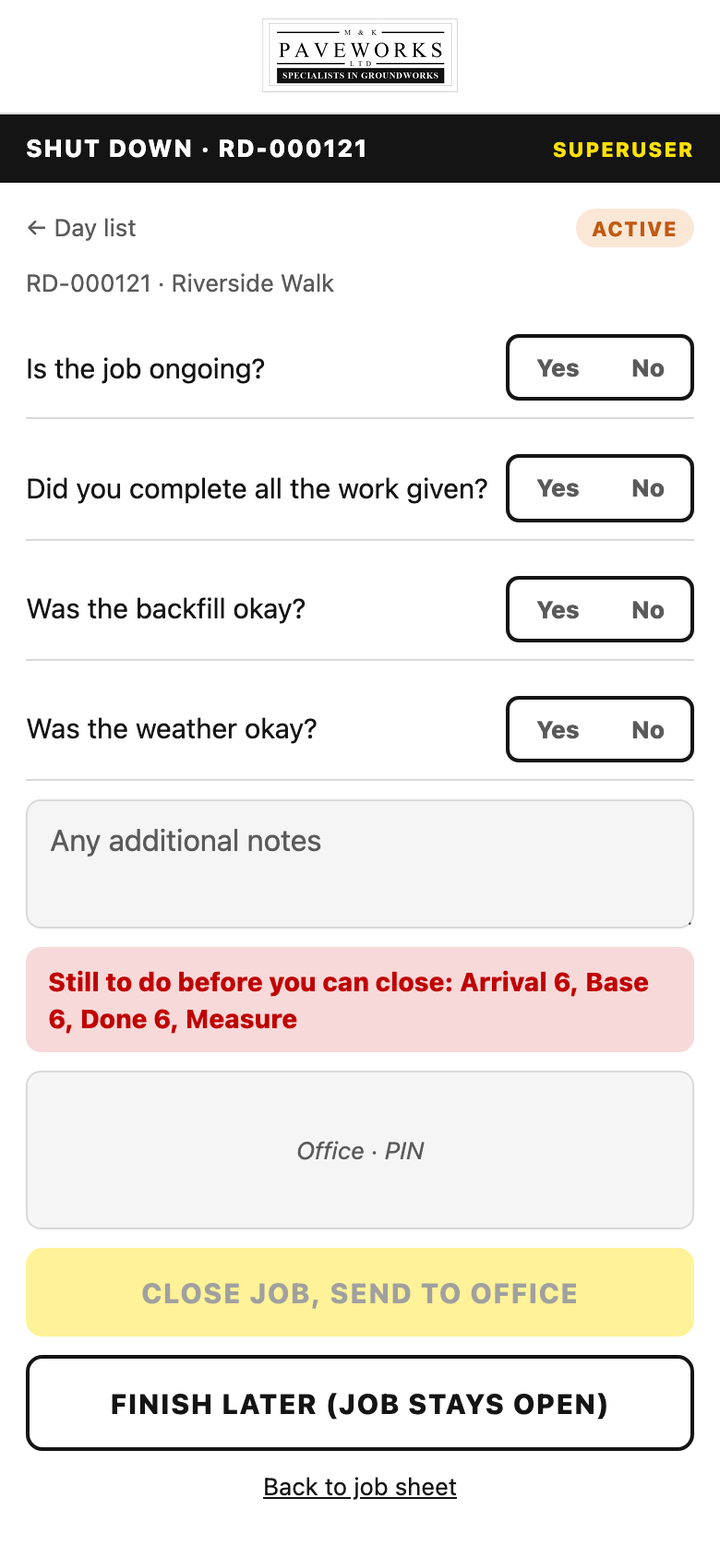
The built shut down screen on a phone.

Shutting down honestlyFinished, or coming back tomorrow. Either answer is fine. Pretending is what the app will not let you do.

And in the office
the office board · this week
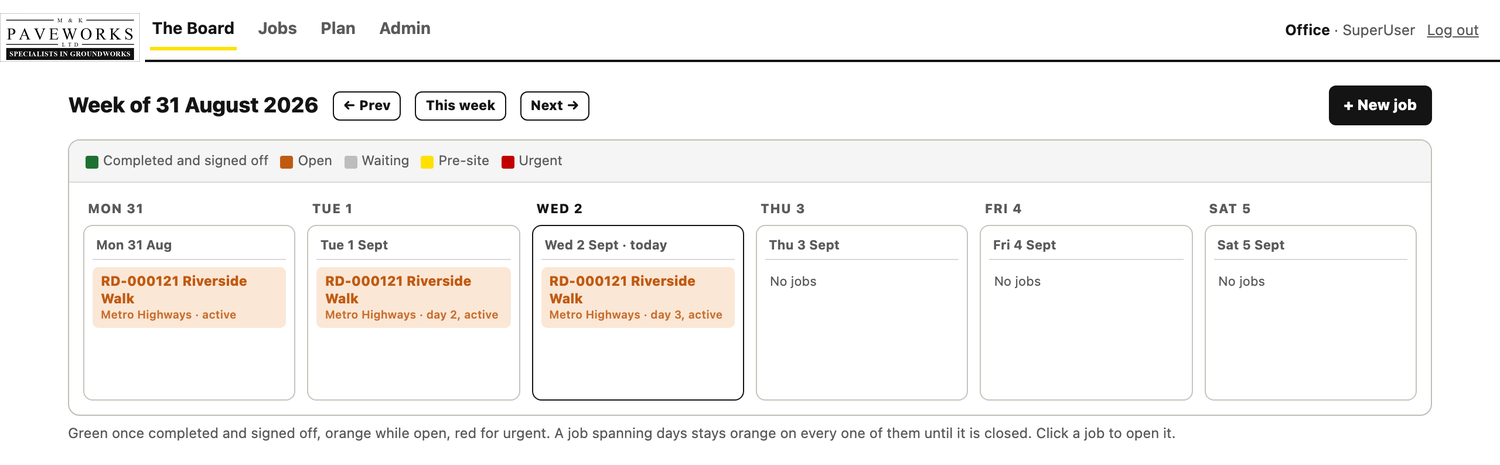
The office job board: a week laid out Monday to Saturday with coloured job cards showing which are open, waiting, pre-site, urgent and completed.

The week at a glance, in the colours they already used on the whiteboard. Orange while a job is open, green once it is completed and signed off, red for urgent. A job that runs over stays orange on every day until it is closed. Customer names anonymised here.
Also this year

Websites, when a website is what you actually need.

Not every problem is an app. Some businesses need one good page that says the right thing and puts enquiries in an inbox. Same approach: built around what you already have, live quickly, changed by sending a message rather than filing a ticket.

cardinale collective
The Cardinale Collective website: black and white portraits from Gianni Cardinale's award collection either side of a salon film, with CARDINALE across the bottom.
Cardinale Collective, men's hairA King's Cross salon and academy, and a two-time finalist for Men's Hairdresser of the Year at the British Hairdressing Awards. Built like a fashion house, around his award collection.
maisons-eymoutiers.fr
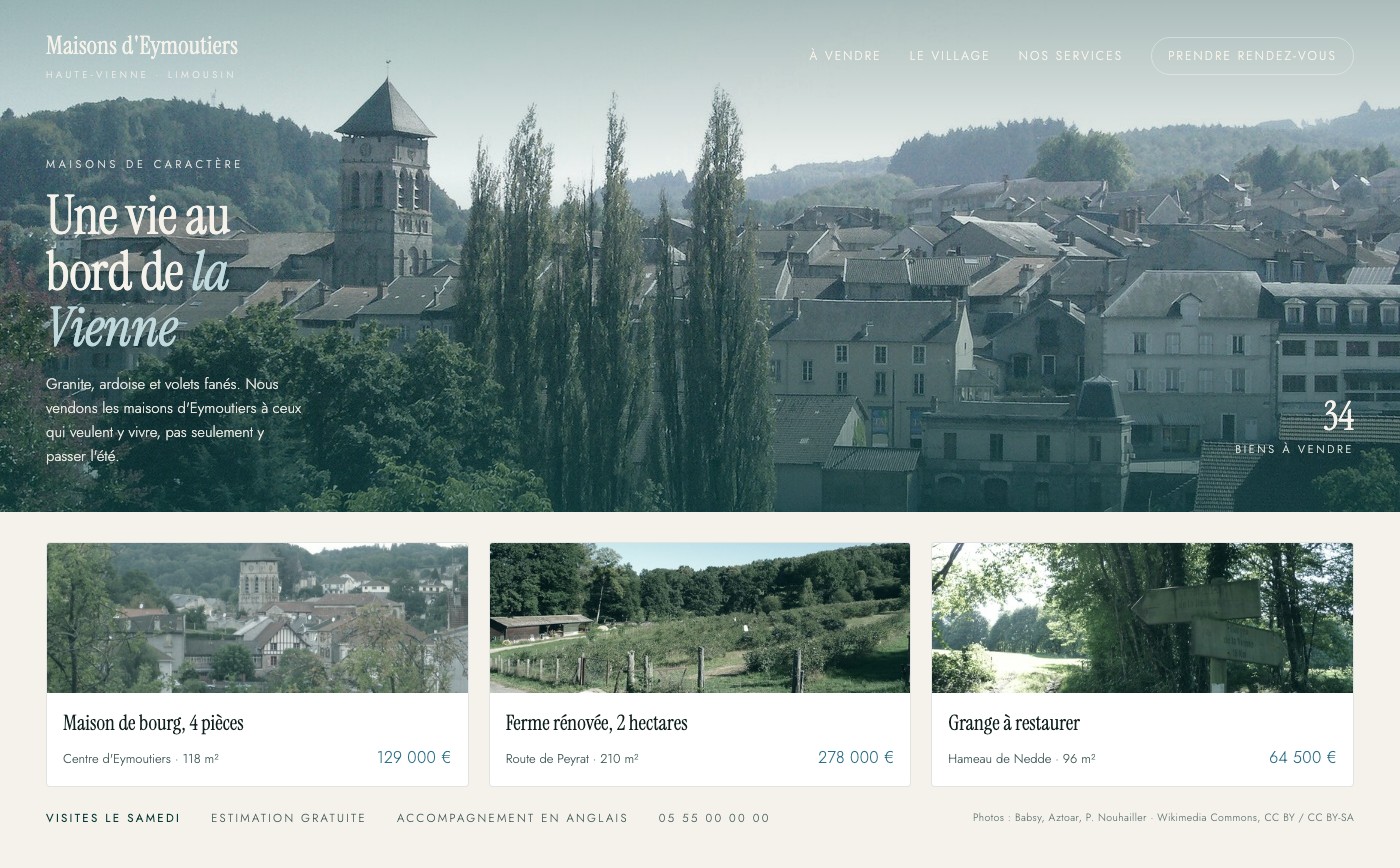
An estate agency website: a photograph of Eymoutiers rooftops and the church tower graded to pine and river blue, a serif headline reading une vie au bord de la Vienne, and three properties for sale with prices in euros.
Maisons d'EymoutiersProperty in the Limousin, built to a one line brief: fashionable, blue and green. Listings the office adds itself, prices on the page, and an English speaking line for the buyers who come looking from here.

Show us how you do it now.

A sketch, a spreadsheet, a photograph of the sheet on your clipboard. That is enough to tell you what it would take, what it would cost, and how quickly your team could be using it.

[email protected]